The Complete Guide to Building a Small Business Website
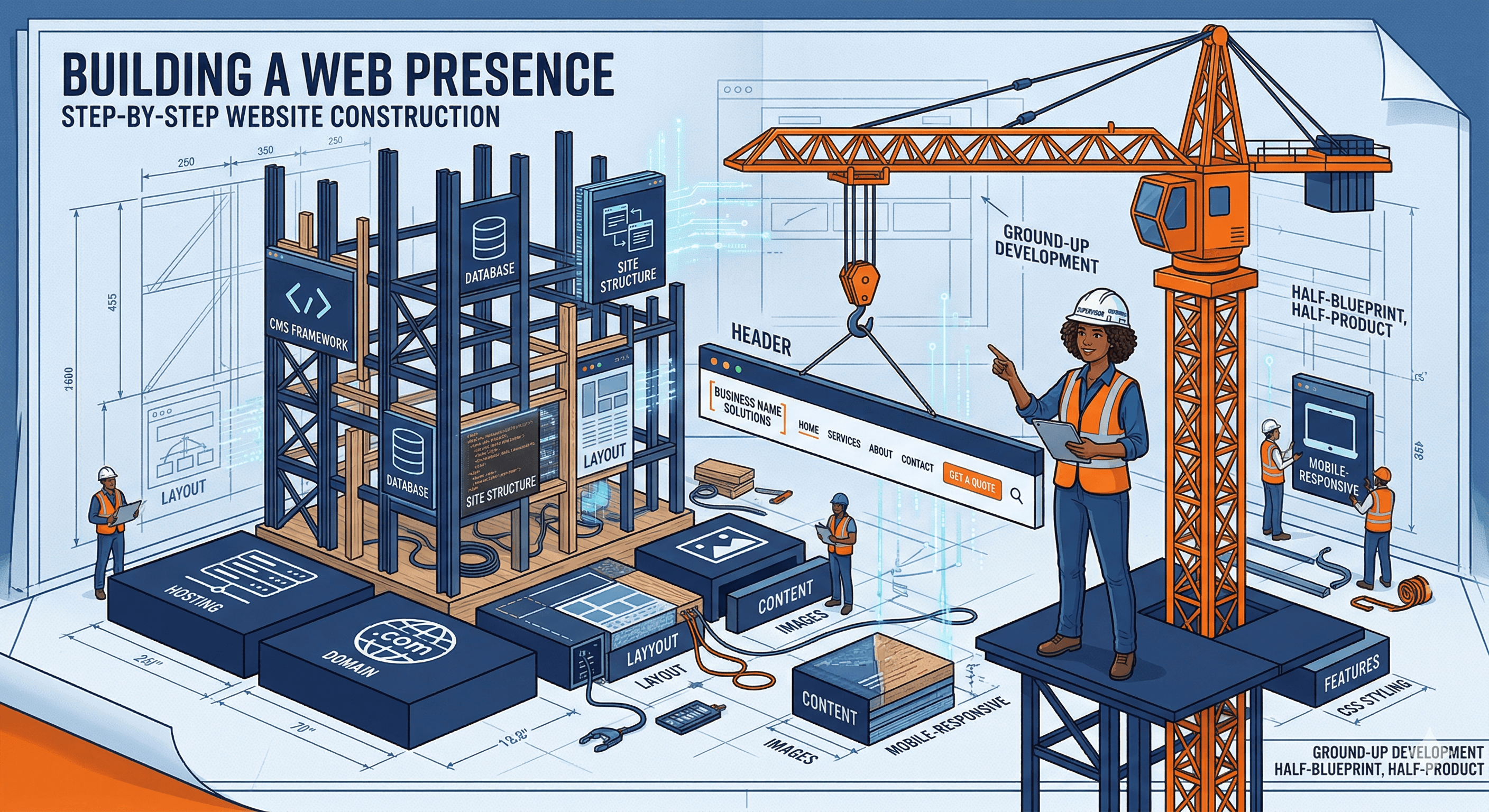
Building a website for your small business does not have to be complicated or expensive. This guide walks you through every step, from registering your domain name to launching a site that attracts customers and grows your business.
Step 1: Choose and Register Your Domain Name
Your domain name is your address on the internet. It should be easy to remember, easy to spell, and clearly connected to your business. If your business name is available as a .com, register it immediately. If not, consider small variations or try .co or your industry-specific extension.
Register through a reputable registrar like Namecheap, Cloudflare Registrar, or Google Domains. Expect to pay $10 to $15 per year. Enable auto-renewal so you never accidentally lose your domain, and turn on WHOIS privacy to keep your personal information out of public records.
When brainstorming domain names, keep them short (ideally under 15 characters), avoid hyphens and numbers, and make sure the name is easy to say out loud. If someone hears your domain in conversation, they should be able to type it correctly on the first try. For a deeper walkthrough of the registration process, read our guide on how to register a domain name for your small business.
Step 2: Choose Your Platform
You have three main options: a website builder (Squarespace, Wix), a content management system like WordPress, or a custom-built site. For most small businesses, a website builder or WordPress is the right choice. Custom development only makes sense if you have very specific technical requirements or a budget of $5,000 or more.
Website builders like Squarespace and Wix include hosting, security, and templates in one monthly fee. They are the fastest way to get online and require no technical knowledge. WordPress offers more flexibility and a massive plugin ecosystem, but you need to manage hosting, updates, and security yourself (or pay a managed host to handle it).
If you are unsure which approach fits your situation, our comparison of custom websites vs website builders breaks down the pros and cons in detail. And if you want to understand what a content management system actually does, start with our explainer on what a CMS is and why your business needs one. For a side-by-side look at the top platforms, check out our best website builders for small businesses review.
Step 3: Select a Hosting Provider
If you choose a website builder like Squarespace, hosting is included in your subscription. If you go with WordPress, you need separate hosting. The hosting provider you choose directly affects your site's speed, security, and reliability.
For small business sites, managed WordPress hosting from providers like SiteGround, Cloudways, or WP Engine offers the best balance of performance, security, and ease of use. These providers handle server maintenance, automatic backups, and security patches so you can focus on your business.
Shared hosting plans from companies like Bluehost or Hostinger cost less (as low as $3 to $5 per month) but come with performance tradeoffs. Your site shares server resources with hundreds of other websites, which can lead to slower load times during peak traffic. For a detailed comparison of hosting options and what to look for, read our guide on how to choose web hosting for your small business, or jump straight to our best web hosting providers review.
Step 4: Design Your Site
Start with a professional template that matches your industry. Most website builders and WordPress themes offer dozens of templates designed for specific business types: restaurants, law firms, contractors, retail shops, and more. Customize the template with your logo, brand colors, and fonts.
Every small business website needs these pages at minimum: a homepage that clearly communicates what you do and who you serve, an about page that builds trust and tells your story, a services or products page that explains what you offer and how much it costs, a contact page with a form, phone number, and address, and a blog for publishing helpful content.
Keep your navigation simple. Visitors should be able to find any page on your site within two clicks from the homepage. Use clear, descriptive labels in your menu instead of clever or vague names.
Step 5: Write Content That Converts
The words on your website matter more than the design. A beautifully designed site with vague, generic copy will not convert visitors into customers. Write clear, specific content that tells people exactly who you are, what you offer, and why they should choose you over competitors.
Your homepage headline should communicate your value proposition in one sentence. Your service pages should answer the questions customers ask before they buy. Your about page should build credibility and trust. Include your business hours, location, phone number, and email address on every page (or at least in the footer and contact page).
Avoid jargon and industry buzzwords. Write the way you would explain your business to someone at a dinner party. For a detailed framework on writing effective website copy, check out our guide on how to write website copy that turns visitors into customers.
Step 6: Set Up Essential Integrations
A modern small business website needs more than just pages and content. You need tools that help you understand your visitors, capture leads, and run your business more efficiently.
At minimum, set up Google Analytics to track who visits your site and how they found you. Add a contact form so visitors can reach you easily. Connect your email marketing platform so you can build a subscriber list from day one. If you take appointments, add an online scheduling tool like Calendly or Acuity.
For a rundown of the most important tools to connect, read our guide on essential website integrations every small business needs.
Step 7: Set Up SEO Basics
Before launching, make sure your site is set up to be found in search engines. This does not require advanced technical knowledge, just attention to a few key details.
Every page should have a unique title tag (the text that appears in browser tabs and search results) and a compelling meta description. Your URLs should be clean and descriptive (like /services/lawn-care instead of /page?id=47). Submit your sitemap to Google Search Console so Google knows your site exists and can crawl it efficiently.
Compress your images before uploading them (tools like TinyPNG make this easy) and add descriptive alt text to every image. Make sure your site loads in under three seconds, as page speed is both a ranking factor and a major influence on whether visitors stay or leave.
For a comprehensive walkthrough of search engine optimization, read our complete SEO guide for small businesses.
Step 8: Launch and Promote
Once your site is live, the work is not over. You need to actively promote it. Start by claiming your Google Business Profile and linking it to your website. This is the single most impactful thing you can do for local search visibility.
Share your new site on your social media accounts. Add your URL to your email signature, business cards, invoices, and any print materials. Ask satisfied customers to leave Google reviews, as these directly influence your local search rankings.
Start publishing blog content and aim for at least one article per month. Blogging builds organic search traffic over time and positions you as an authority in your field. If you are not sure where to begin, our guide on creating a content marketing plan will help you get started.
Ongoing Maintenance
A website is not a one-time project. Plan to update your content regularly, monitor your analytics, and respond to customer inquiries promptly. If you are using WordPress, keep your core software, themes, and plugins updated to prevent security vulnerabilities.
Review your analytics monthly to see which pages get the most traffic, where visitors are dropping off, and which sources send the most qualified leads. Use this data to continuously improve your site. The businesses that treat their website as a living asset, rather than a digital brochure they set and forget, are the ones that see the best results over time.