SEO for Small Businesses: Everything You Need to Know
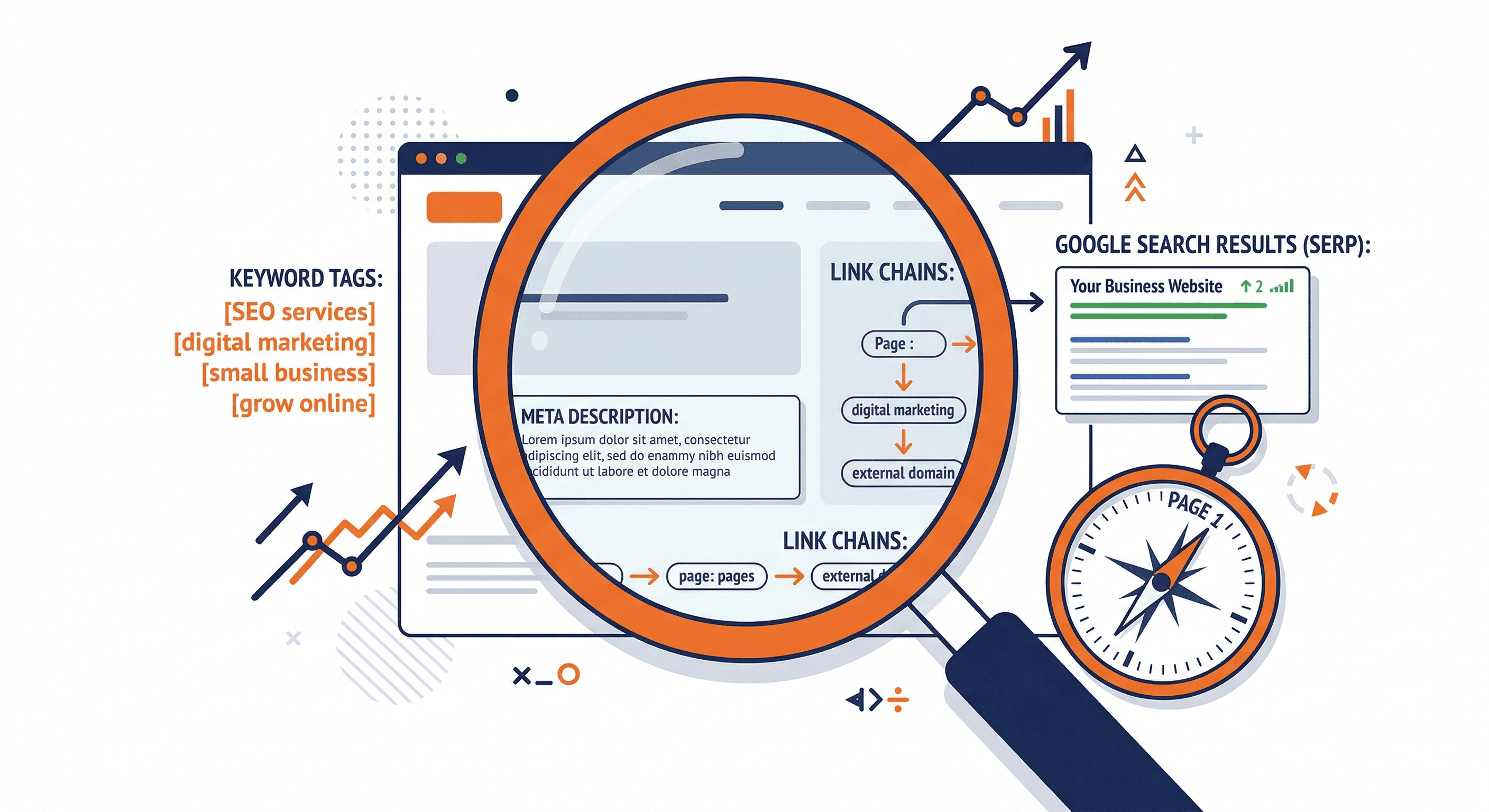
Search engine optimization (SEO) is one of the most effective ways for small businesses to attract customers online. Unlike paid advertising, which stops working the moment you stop paying, SEO builds long-term visibility that compounds over time. This guide covers everything you need to know to get started, improve your rankings, and compete with larger companies in search results.
What Is SEO and Why Does It Matter?
SEO is the practice of optimizing your website so that search engines like Google rank it higher in search results for relevant queries. When someone searches for a product or service you offer, you want your website to appear on the first page. Over 90% of clicks go to results on page one, and the top three positions capture the majority of that traffic.
For small businesses, SEO matters because it levels the playing field. You do not need a massive advertising budget to appear in search results. You need a well-optimized website, quality content, and a consistent effort over time. Organic search drives more traffic to websites than any other channel, and those visitors tend to convert at higher rates because they are actively looking for what you offer.
Keyword Research: The Foundation of SEO
Every successful SEO strategy starts with keyword research. This is the process of identifying the words and phrases your potential customers type into search engines when looking for your products or services.
Start with Seed Keywords. Think about the main topics related to your business. A plumber in Austin might start with "plumber Austin," "emergency plumbing," and "water heater repair." These broad terms are your seed keywords.
Use Keyword Research Tools. Free tools like Google Keyword Planner, Ubersuggest, and AnswerThePublic can expand your seed keywords into hundreds of related terms. Paid tools like Ahrefs, SEMrush, and Moz offer more detailed data on search volume, competition, and keyword difficulty. For a step-by-step walkthrough of this process, read our guide on how to do keyword research for your small business.
Focus on Long-Tail Keywords. Long-tail keywords are longer, more specific phrases like "how to fix a leaking faucet in Austin TX." They have lower search volume individually, but they are easier to rank for and often convert better because they indicate clearer intent.
Understand Search Intent. Every keyword has an intent behind it. Someone searching "best email marketing tools" wants a comparison (informational intent). Someone searching "Mailchimp pricing" is closer to making a decision (transactional intent). Match your content to the intent behind each keyword.
Analyze Your Competitors. Look at which keywords your competitors rank for. This reveals gaps in your own strategy and opportunities to create content that serves your audience better than what currently exists.
On-Page SEO: Optimizing Your Website Content
On-page SEO refers to the optimizations you make directly on your website pages. These are the elements you have the most control over, and they form the core of your SEO strategy.
Title Tags
Your title tag is the clickable headline that appears in search results. It is one of the most important on-page ranking factors. Every page on your website should have a unique title tag that includes your primary keyword, stays under 60 characters, and accurately describes the page content. Place your keyword near the beginning of the title when it reads naturally.
Meta Descriptions
The meta description is the short summary that appears below the title tag in search results. While it does not directly affect rankings, a compelling meta description improves your click-through rate, which does influence rankings. Keep it under 160 characters, include your primary keyword, and write it as a persuasive summary that makes people want to click.
Header Tags (H1, H2, H3)
Use header tags to structure your content logically. Your H1 should be the main title of the page (use only one per page). H2 tags break the content into major sections, and H3 tags divide those sections further. Include relevant keywords in your headers where it makes sense, but always prioritize readability.
Content Optimization
High-quality content is the backbone of modern SEO. Google rewards pages that thoroughly answer the searcher's question and provide genuine value. Here is how to optimize your content:
- Write at least 800 to 1,500 words for important pages (longer content tends to rank better, but only when the length is justified)
- Include your primary keyword in the first 100 words
- Use related keywords and synonyms naturally throughout the text
- Break up long paragraphs with subheadings, bullet points, and images
- Update your content regularly to keep it accurate and relevant
- Write for people first, search engines second
Image Optimization
Images improve the user experience, but they can also slow down your site if not optimized. Compress every image before uploading (use tools like TinyPNG or ShortPixel). Add descriptive alt text to every image that includes relevant keywords when appropriate. Use descriptive file names instead of generic ones like "IMG_1234.jpg."
Internal Linking
Link between related pages on your website. Internal links help search engines understand your site structure, distribute authority across your pages, and keep visitors engaged longer. When writing a new blog post, link to relevant existing pages. When updating old content, add links to your newer pages.
Technical SEO: The Foundation Under the Hood
Technical SEO ensures that search engines can crawl, index, and understand your website properly. Even the best content will not rank if your site has technical issues that prevent Google from accessing it.
Site Speed
Page speed is a confirmed ranking factor. Use Google PageSpeed Insights to test your site and identify issues. Common fixes include compressing images, enabling browser caching, minifying CSS and JavaScript files, and using a content delivery network (CDN). Your pages should load in under three seconds on both desktop and mobile.
Mobile-Friendliness
Google uses mobile-first indexing, meaning it primarily uses the mobile version of your site for ranking and indexing. Your site must work well on smartphones and tablets. Use responsive design, ensure text is readable without zooming, make buttons and links easy to tap, and test your site on multiple devices. Google's Mobile-Friendly Test tool can identify problems.
SSL Certificate (HTTPS)
If your website still uses HTTP instead of HTTPS, fix this immediately. Google has confirmed that HTTPS is a ranking signal, and browsers display security warnings on non-HTTPS sites. Most hosting providers include free SSL certificates.
XML Sitemap
An XML sitemap tells search engines which pages on your site exist and how they are organized. Most content management systems generate sitemaps automatically. Submit yours to Google Search Console and Bing Webmaster Tools so search engines can find and index your pages efficiently.
Structured Data (Schema Markup)
Structured data helps search engines understand the content on your pages more precisely. For small businesses, the most useful schema types include LocalBusiness (your address, phone, hours), FAQ (frequently asked questions), Review (customer ratings), and Product (if you sell products). Structured data can also earn you rich snippets in search results, which improve visibility and click-through rates.
Crawl Errors and Broken Links
Regularly check Google Search Console for crawl errors. Fix broken links (404 errors) by updating the link or setting up redirects. Broken links create a poor user experience and waste the crawl budget that search engines allocate to your site.
Local SEO: Dominating Your Area
For small businesses that serve a specific geographic area, local SEO is essential. Local search results appear when someone searches for a service "near me" or includes a city name in their query. If you serve a local market, our local SEO starter guide walks through the specific steps to dominate your area.
Google Business Profile
Claim and fully optimize your Google Business Profile (formerly Google My Business). This is the most important step in local SEO. Fill out every field, including your business name, address, phone number, hours, categories, services, and description. Add high-quality photos of your business, products, and team. Post updates regularly and respond to every review.
NAP Consistency
NAP stands for Name, Address, Phone number. Your NAP must be identical everywhere it appears online: your website, Google Business Profile, social media profiles, directories, and review sites. Even small inconsistencies (like "Street" vs. "St.") can confuse search engines and hurt your local rankings.
Local Citations and Directories
List your business in relevant online directories, including Yelp, Yellow Pages, your local chamber of commerce, and industry-specific directories. Each consistent listing reinforces your legitimacy and helps Google verify your business information.
Customer Reviews
Reviews are a significant local ranking factor. Encourage satisfied customers to leave reviews on Google, and respond to every review (both positive and negative) professionally. Do not buy fake reviews or incentivize reviews in ways that violate Google's policies.
Link Building for Small Businesses
Backlinks (links from other websites to yours) remain one of the most powerful ranking factors. They act as votes of confidence that tell search engines your content is valuable and trustworthy.
Create Link-Worthy Content. The best way to earn links is to create content that others want to reference. Original research, detailed guides, infographics, and tools tend to attract links naturally.
Local Partnerships. Partner with other local businesses, sponsor community events, join your chamber of commerce, and contribute to local publications. Each of these activities can result in natural backlinks from trusted local sources.
Guest Posting. Write articles for industry blogs and publications. Include a link back to your website in your author bio or within the content where relevant. Focus on quality publications in your niche rather than low-quality sites.
Broken Link Building. Find broken links on relevant websites using tools like Ahrefs or Check My Links. Reach out to the site owner, let them know about the broken link, and suggest your content as a replacement.
Avoid Link Schemes. Do not buy links, participate in link exchanges, or use other manipulative tactics. Google penalizes these practices, and the short-term gains are not worth the long-term risk to your site.
Content Strategy: Fueling Your SEO
Content and SEO work hand in hand. A consistent content strategy gives you more opportunities to rank for different keywords, answers your audience's questions, and establishes your expertise.
Build a Content Calendar. Plan your content at least one month ahead. Aim to publish at least two to four pieces of content per month. Consistency matters more than volume.
Cover Topics in Depth. Create comprehensive guides on topics your audience cares about. A detailed, well-structured article that covers a topic thoroughly will outperform multiple thin pieces on the same subject.
Use the Hub and Spoke Model. Create a detailed pillar page on a broad topic (the hub) and link it to more specific articles on related subtopics (the spokes). This structure helps search engines understand your expertise and helps users navigate your content.
Refresh Old Content. Update your existing content regularly. Add new information, fix outdated statistics, improve the formatting, and re-publish with the current date. Refreshed content often sees a significant boost in rankings.
Measuring Your SEO Results
You cannot improve what you do not measure. Set up these tools and track these metrics to understand how your SEO efforts are performing.
Essential Tools
- Google Search Console: Shows which queries bring people to your site, your average rankings, click-through rates, and technical issues.
- Google Analytics: Tracks your overall traffic, user behavior, conversions, and traffic sources.
- Rank Tracking Tool: Tools like Ahrefs, SEMrush, or even free options like Ubersuggest let you monitor your keyword positions over time.
Key Metrics to Track
- Organic Traffic: The number of visitors coming from search engines. This should trend upward over time.
- Keyword Rankings: Track your target keywords and monitor how your positions change.
- Click-Through Rate (CTR): The percentage of people who click your listing in search results. If your CTR is low, improve your title tags and meta descriptions.
- Bounce Rate: The percentage of visitors who leave without interacting. A high bounce rate may indicate that your content does not match the search intent.
- Conversions: Ultimately, SEO should drive business results. Track form submissions, phone calls, purchases, or whatever actions matter most to your business.
Common SEO Mistakes to Avoid
Targeting Keywords That Are Too Competitive. Small businesses should focus on long-tail, local, and niche keywords before going after highly competitive terms. You will see results faster and build momentum. This is one of several pitfalls we cover in the number one way small businesses kill their rankings.
Ignoring Mobile Users. More than half of all web traffic comes from mobile devices. If your site does not work well on phones, you are losing both visitors and rankings.
Keyword Stuffing. Repeating your target keyword unnaturally throughout your content hurts readability and can trigger Google penalties. Write naturally and let keywords fit into the content organically.
Neglecting Local SEO. If you serve a local area and have not claimed your Google Business Profile, you are missing out on one of the easiest wins in SEO.
Expecting Instant Results. SEO is a long-term strategy. It typically takes three to six months to see meaningful results, and the biggest gains come after 12 months or more. Be patient, stay consistent, and trust the process. For a realistic look at what SEO can and cannot do, read the truth about SEO for small businesses.
Not Tracking Results. If you are not using Google Search Console and Analytics, you are flying blind. Set up tracking from day one so you can measure progress and adjust your strategy based on data.
Getting Started: Your SEO Action Plan
If you are new to SEO, here is a simple action plan to follow:
- Set up Google Search Console and Google Analytics on your website.
- Claim and optimize your Google Business Profile (if you serve a local area).
- Conduct keyword research to identify 10 to 20 target keywords.
- Optimize your existing pages with proper title tags, meta descriptions, headers, and content.
- Fix any technical issues (site speed, mobile-friendliness, broken links).
- Start creating content that targets your keywords and answers your audience's questions.
- Build local citations and pursue quality backlinks.
- Track your results monthly and adjust your strategy based on what the data shows.
SEO is not magic, and it is not a one-time task. It is a consistent, methodical process that builds real, lasting value for your business. The sooner you start, the sooner you will see results. And unlike paid advertising, the traffic you earn through SEO keeps coming long after the initial work is done.